Built by one person — not a startup with a subscription to sell

Your investments. Your training. One new tab.

Personal Dashboard Pro brings your Trading 212 portfolio and Strava activity into the new tab you open fifty times a day — alongside the watchlist, weather and shortcuts that are already free today.

Free for ever · Pro is £5 once, no subscription · Read-only, no bank login

New Tab Personal Dashboard Pro £5 one-time
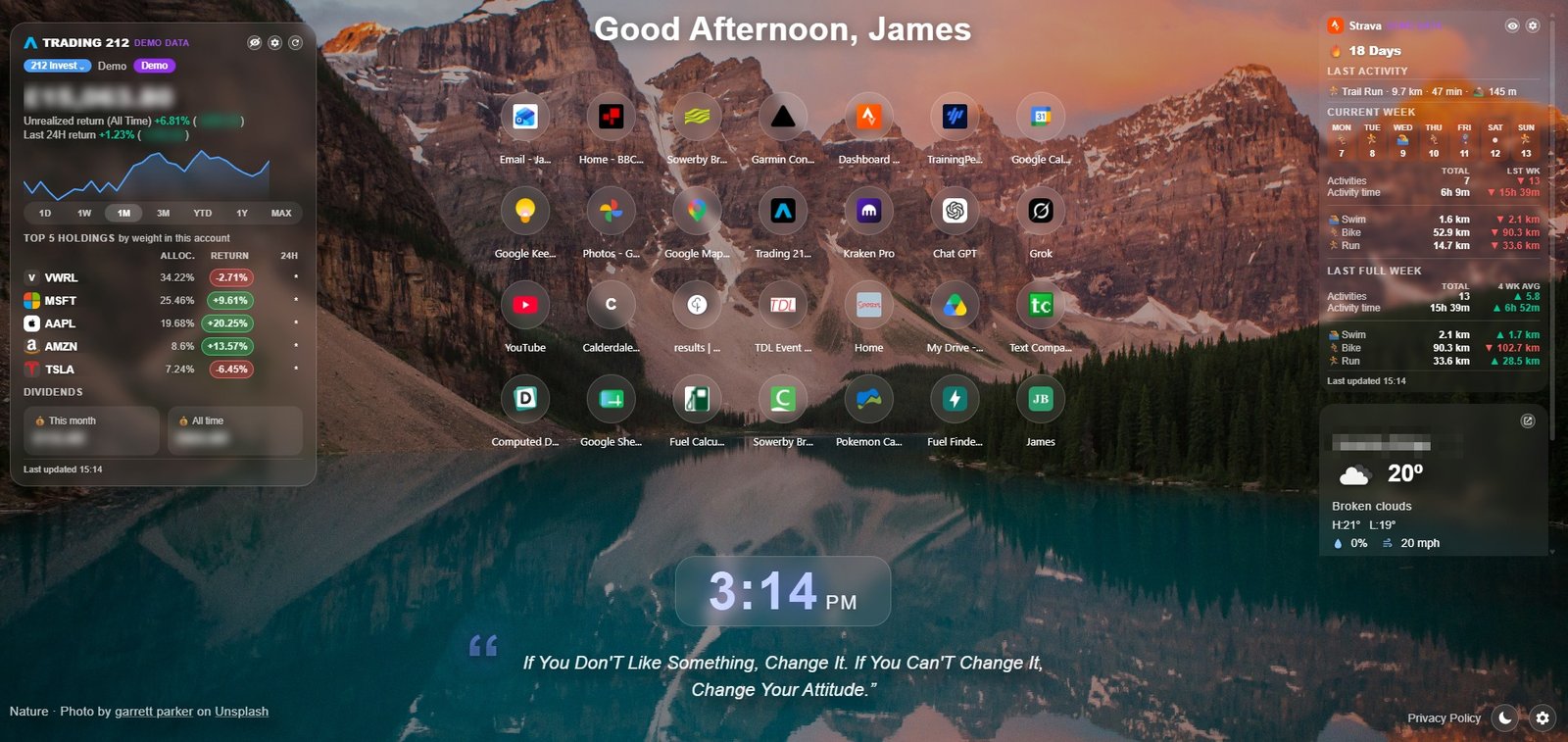
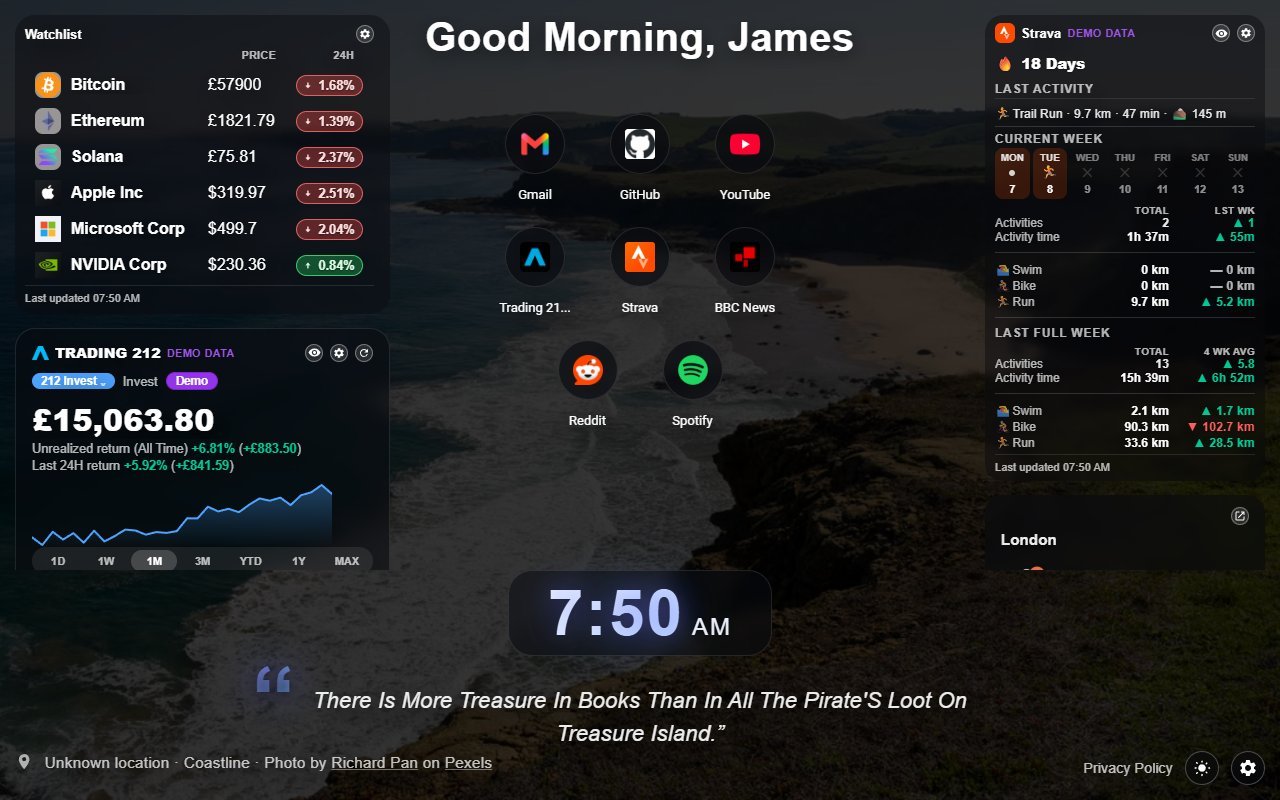
Personal Dashboard Pro on a new tab: a Trading 212 portfolio card with holdings and dividends, bookmark shortcuts, a Strava training card with weekly trends, and local weather over a mountain-lake photo

Bookmarks, weather, clock and quote — plus your Trading 212 portfolio and Strava training

Personal Dashboard Pro

£5 one-time

Your money and training, on the tab you already open

Pro adds read-only Trading 212 and Strava connections to the same extension. Everything below is the real interface, running on demo data.

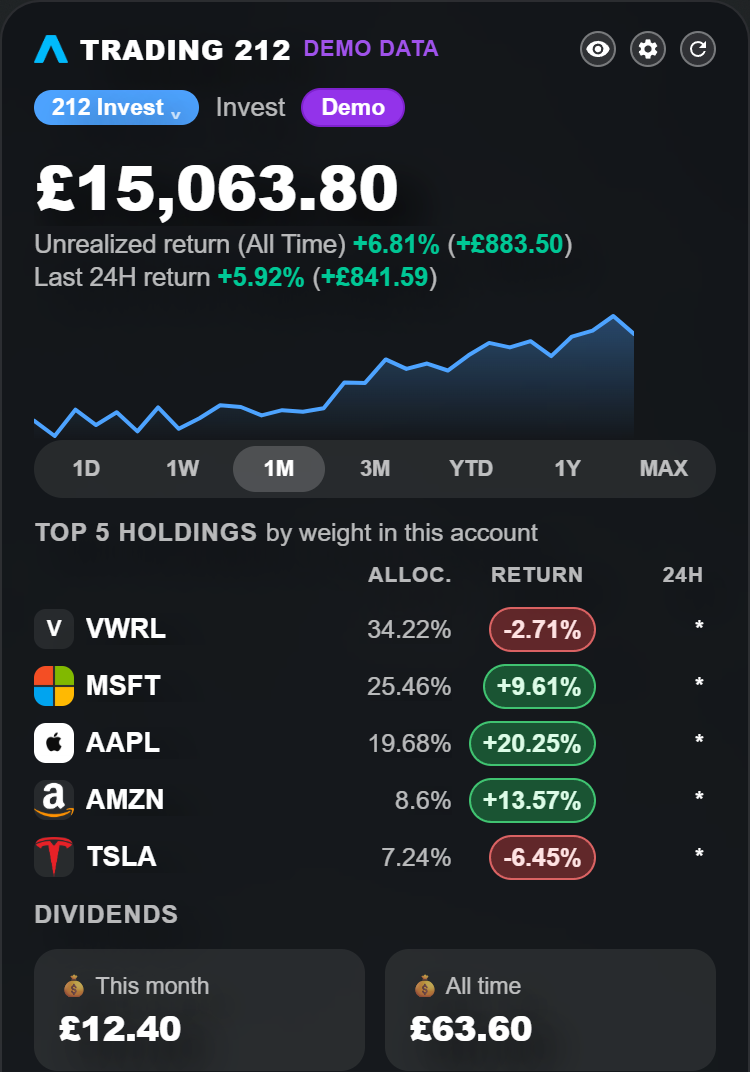
The Trading 212 widget showing total value, unrealised return, a performance chart, top holdings by weight and dividends
Total value, return, your largest holdings and dividends — read-only, and never able to place a trade.
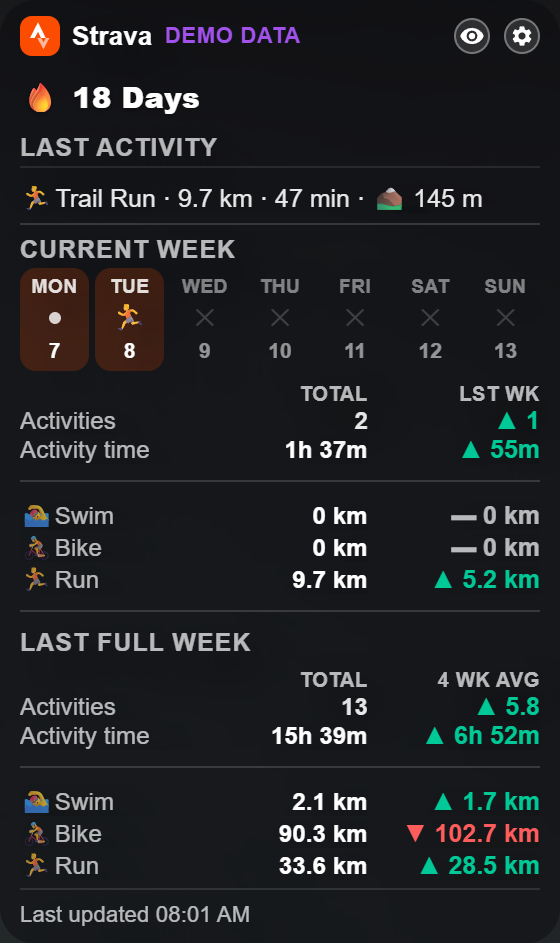
The Strava widget showing a day streak, last activity, current week and last full week trends for activities, time, swim, bike and run
Your streak, last activity and week-on-week trends for activity count, time, swim, bike and run.

Portfolio, read-only

Holdings, allocation and performance from Trading 212 Invest or Stocks ISA accounts.

Training insights

Latest activity, day streak and weekly trends, calculated from your own Strava data.

Private by default

Credentials stay on your device. Blur any pane until you click, or delete everything in one go.

The Pro update is with Chrome for review. Demo mode shows both integrations before you pay anything.

Also free

Free

And a Budget Tracker for the bigger picture

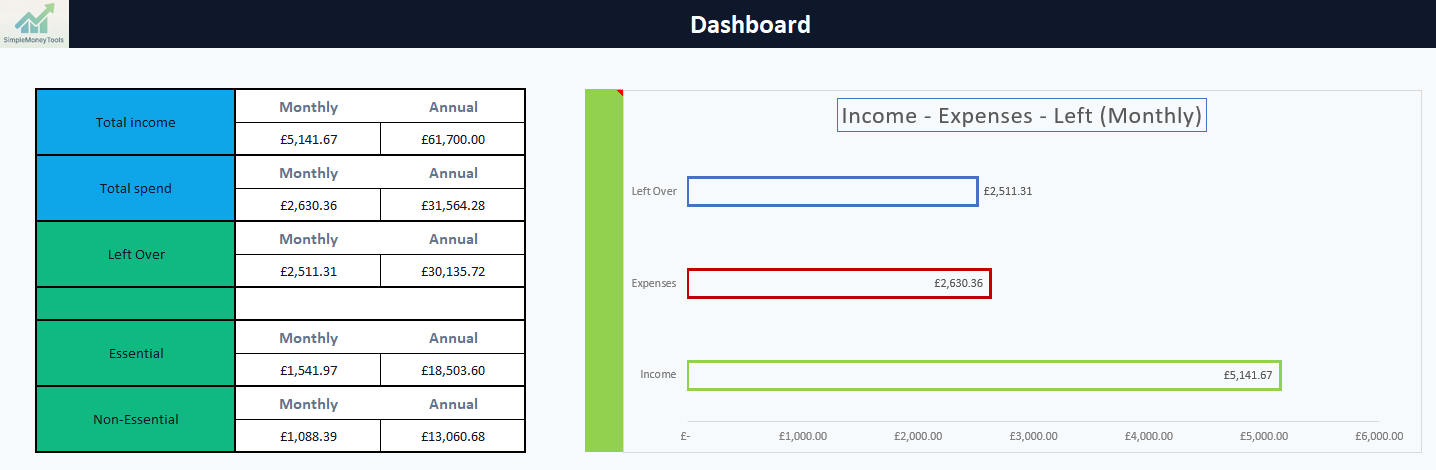
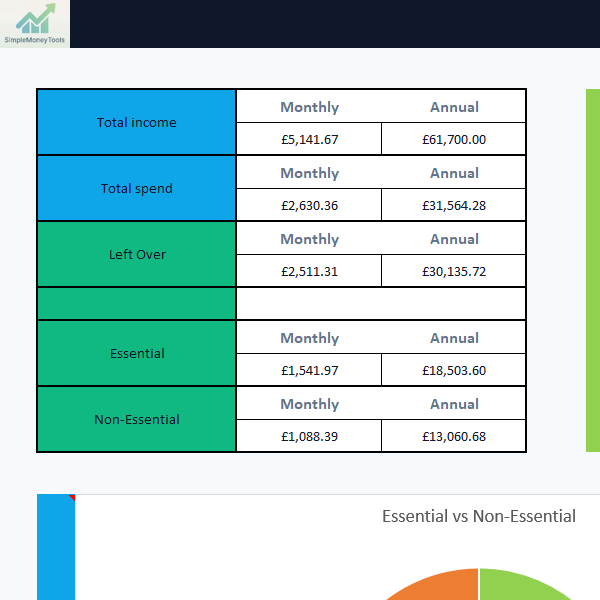
Personal Dashboard handles the day to day. For a monthly view of what's actually left over, the free Budget Tracker does the sums for you — no subscription, no bank connection, just a spreadsheet that works.

Automatic dashboard

Essential vs non-essential

Works fully offline

No sign-up needed

Budget Tracker.xlsx
Free Budget Tracker dashboard showing monthly income, spend and essential versus non-essential spending

Free vs Pro

Simple, honest comparison

No tiers to decode — the free extension is fully usable on its own, and Pro adds a small set of optional extras.

Free

£0

Everything most people need, no account required.

  • Budget Tracker spreadsheet
  • New-tab dashboard: bookmarks, weather, clock, quote
  • Watchlist, up to 10 crypto or stock tickers
  • Demo mode for Trading 212 and Strava
  • Dark mode, 5 new background photos a day
See the free tools

Personal Dashboard Pro

£5 once

Everything in Free, plus live connections. One payment, no subscription.

  • Live Trading 212 accounts, read-only
  • Live Strava accounts, read-only
  • Holdings, returns and dividends
  • Multiple accounts and extra widget layouts
  • Click-to-reveal privacy on every pane
  • Unlimited background photos
See what Pro adds

Why trust it

A few honest facts, not a sales pitch

No user counts, no reviews, no invented numbers — just what's actually true today.

Built by James Bowen

A named person you can look up, not an anonymous company — read more about the mission.

Free tools available now

The Budget Tracker and Personal Dashboard both work today, with no waitlist.

Actively in development

Personal Dashboard Pro is built in the open, and its full privacy policy is published before launch.

A full tutorial library

Written guides and videos for every tool, not just a README.

Privacy-focused by design

Data stays on your device wherever possible; any account integration is read-only.

No unnecessary complexity

If a feature doesn't help you understand your money, it doesn't get added.

Tutorials

Get the most from your tools

Written guide
Beginner

Getting started with the Budget Tracker

Open the spreadsheet, enter your income and expenses, and read your first dashboard.

View Tutorial
Written guide
Beginner

Setting up Personal Dashboard

Install the extension, import your bookmark folder and choose your background.

View Tutorial
YouTube
Beginner

Budgeting basics on YouTube

Video walkthroughs of the free tools on the Simple Money Tools YouTube channel.

View Tutorial

View all tutorials

The person behind it

Built by James Bowen

Hazel, the Simple Money Tools squirrel, holding a pound coin

James Bowen

Technical Support Engineer by day. Building Simple Money Tools at night.

I build these tools because I wanted them myself — a budget tracker that didn't need a subscription, and a new tab page that actually helped rather than distracted. Simple Money Tools stays free wherever it can, stays out of your way, and treats your data as yours, not something to sell.

Visit james-bowen.co.uk